
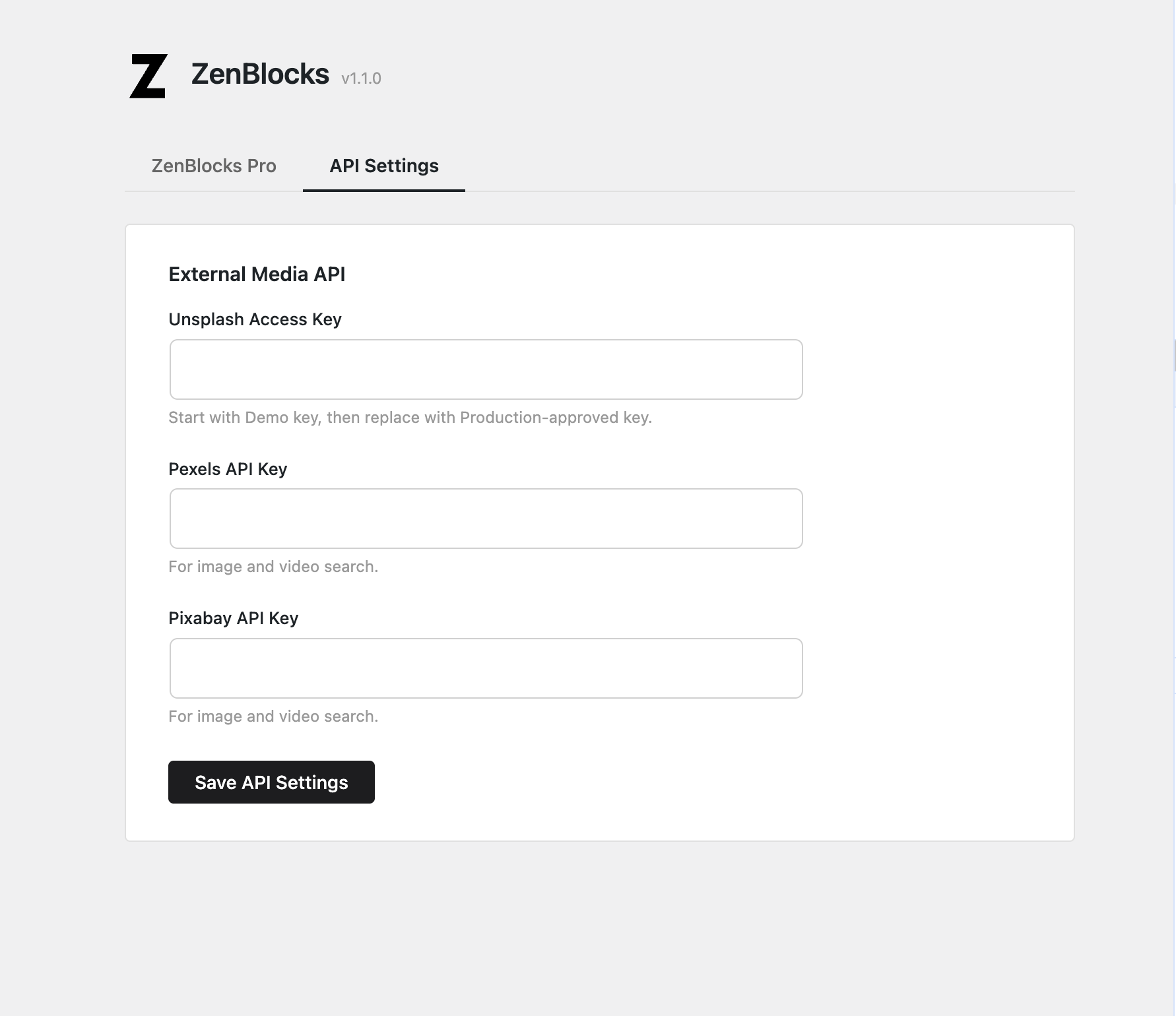
ZenBlocks lets you search for images and videos from external services right inside the block editor. To enable this, you need to register API keys under Settings > ZenBlocks > API Settings.
Summary
If you want to search for images or videos directly from ZenBlocks, register the API key for each service you plan to use. Here are the three key points to keep in mind:
- Unsplash: Focused on photos. Be mindful of credit requirements and terms of use
- Pexels: Works well for both images and videos
- Pixabay: Covers both images and videos, and is a good fit when looking for CC0-licensed assets
Pexels and Pixabay use the same API key for both image and video searches.
How It Works
ZenBlocks does not host any images or videos itself. Instead, it uses API keys to ask external services to return assets matching your search keywords.
The workflow is:
- Set up your API key
- Search for images or videos inside the block editor
- Select and use the asset you like
What Is an API Key?
An API key is essentially a credential that grants access to a service.
- Without an API key, searches will not work
- An incorrect key will result in an error
- Some services have usage limits, review processes, or specific terms of use
Supported Services
| Service | Admin Field Name | Primary Use | Best For |
|---|---|---|---|
| Unsplash | Unsplash Access Key | Image search, download tracking on selection | When visual quality of photos is a priority |
| Pexels | Pexels API Key | Image search, video search | When you want images and videos from one service |
| Pixabay | Pixabay API Key | Image search, video search | When you want to browse a wide variety of assets |
Differences Between Services
Unsplash
- High-quality photos, well suited for visually focused pages
- ZenBlocks triggers a download count when you select an image
- Always review the terms of use and credit policies before using assets
Pexels
- Handles both images and videos within a single service, keeping things simple
- A good choice when you want background videos and images from one provider
- Uses the same API key for both image and video searches — no need for separate keys
Pixabay
- Also covers both images and videos with a single key
- Offers a broad range of assets, making it easy to find what you need
- A strong candidate when you want to prioritize CC0-licensed content
What Is CC0?
Think of CC0 as a "use as freely as possible" license.
- Generally suitable for commercial use
- Credit attribution is often not required
- Easy to modify and repurpose
However, in practice, "CC0-like" does not mean "completely free to do anything."
- Services may have their own separate terms of use
- Content featuring people, logos, trademarks, or buildings may involve additional rights
- Always check the terms of the platform where you plan to publish
When selecting assets in ZenBlocks, treat CC0 as a useful guideline for ease of use, not an absolute guarantee.
Setup Steps
- Open Settings > ZenBlocks
- Select the API Settings tab at the top
- Paste the API key for the service you want to use
- Click Save API Settings
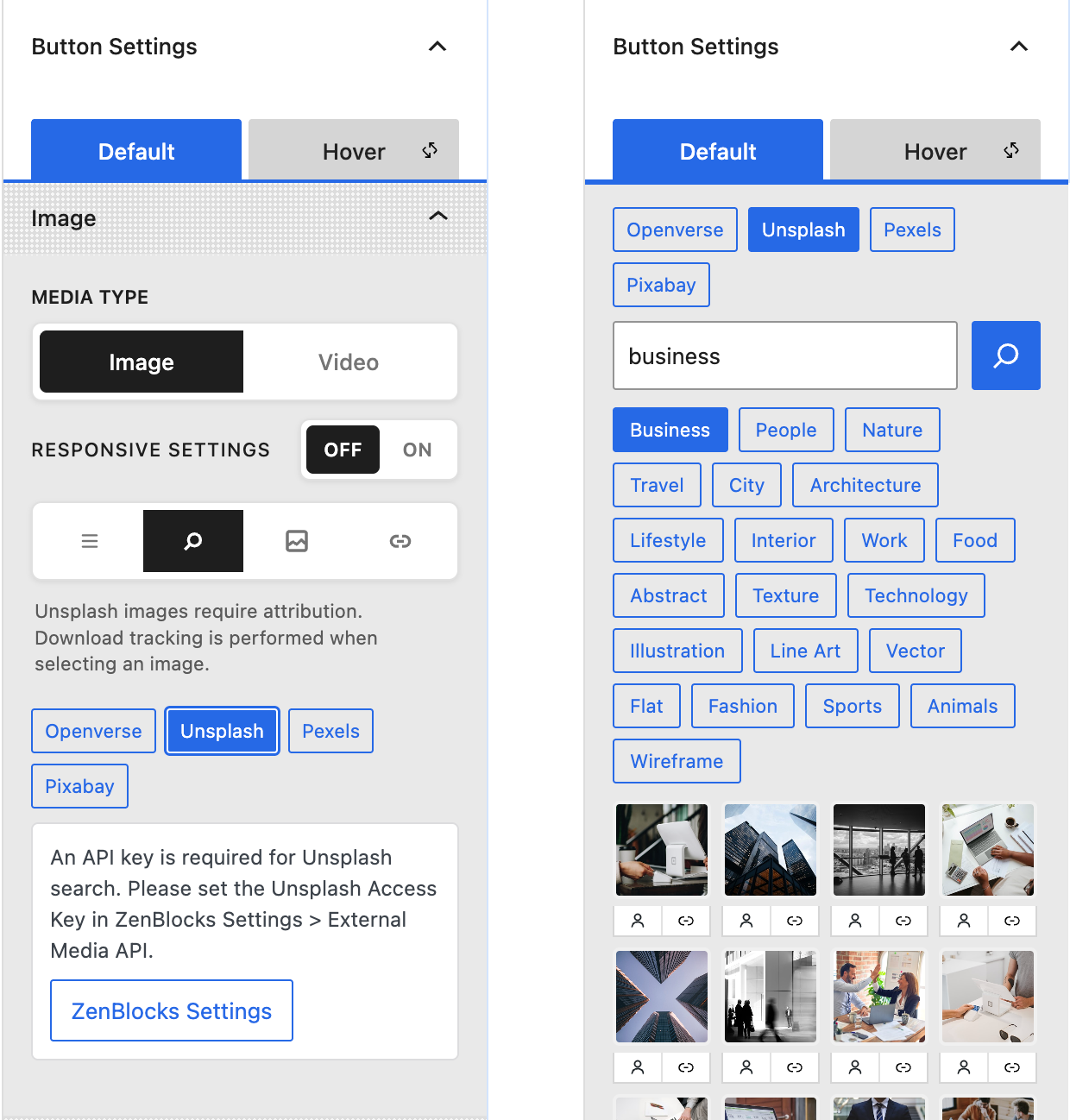
- Return to the block editor and confirm the service works by running an image or video search
Images vs. Videos
- Unsplash is primarily for image searches
- Pexels supports both image and video searches
- Pixabay also supports both image and video searches
In short, if you need video as well, setting up a Pexels or Pixabay key is the practical choice.
Verification Checklist
- Does searching on Unsplash return results without an "API key missing" error?
- Do Pexels / Pixabay image searches return results?
- Can you use Pexels / Pixabay for video searches as well?
- After updating an existing key, does reloading the editor pick up the change?
Important Notes
- Unsplash triggers a download count when an image is selected
- Review Unsplash's terms of use and credit policies before using its images
- Pexels and Pixabay share the same API key for both image and video searches
- API rate limits or insufficient permissions may cause searches to return no results
Troubleshooting Checklist
- Check for typos or errors in the pasted key
- Reload the editor after saving
- Verify on the service's website that the key has been activated
- Switch providers in the block editor to isolate which service is failing
Choosing the Right Service
- Prioritize photo quality: Start with Unsplash
- Need both images and videos: Start with Pexels
- Want the broadest selection: Add Pixabay to the mix
- Keep licensing simple: Focus on CC0-licensed assets first